
GUIDE · CLAUDE AND LOGIC PRO
How to use Claude
with Logic Pro 12 and 13.
Claude by Anthropic can write MIDI, load instruments, set plug-ins, draw automation and mix in Logic Pro. It needs a bridge for that: a local MCP server that offers Logic’s functions to Claude as tools. This guide shows how to connect Claude to Logic through Dada Vibe Connector and how to work with it.
Updated 18 November 2026 · Dada Vibe
What you need
- A Mac with Apple Silicon or an Intel processor, macOS 15.6 or later, and your own Logic Pro 12 or 13 with the English interface.
- Claude Desktop for macOS and a registered Claude account. The Free plan works too and has usage limits.
- Dada Vibe Connector installed on the same Mac as Logic Pro.
Download Claude Desktop (Anthropic) ↗
How to connect Claude to Logic Pro
- Install and open Dada Vibe Connector.
- In the Connection window choose Claude Desktop and complete the setup. Restart Claude when the connector asks you to.
- In Claude’s settings open the local MCP servers and extensions section and check that Dada Vibe Connector is connected and enabled.
- Allow the permissions macOS asks for: mainly Accessibility and Automation for Logic Pro and System Events.
- Ask for the read-only connection check, which changes nothing. Give the first musical task only once the AI can read Logic.
Use Dada Vibe Connector to read the current Logic Pro status and report any missing permissions. Do not create, close, edit or save a project, and do not start playback.The AI chat must run in the desktop app on the same Mac as Logic. A web chat or a chat running in the cloud cannot reach Logic on your Mac.
Allowing tools in Claude
When Claude wants to call a tool for the first time, it asks you. You can allow a single call (“Allow once”) or that tool permanently (“Always allow”). If you explicitly agree, the connector can switch its own tools to “Always allow” for you. You can change approvals at any time in Claude’s settings.
First prompts for Claude in Logic
Start in a new empty project that you save yourself. Give one step, let it finish, listen to the result and then say what comes next.
- “Write a four-bar A-minor bassline on the selected track.”
- “Load a warm pad on the Synth track and add reverb.”
- “Sidechain the bass to the kick.”
- “Draw filter automation that opens over four bars.”
- “Repeat the intro up to bar 9 and label the sections with markers.”
Ten prompts for a first house sketch ↗
What Claude can do in Logic Pro
- Write and edit MIDI: melodies, chords, basslines and beats.
- Load instruments and effects, pick presets and set supported plug-ins in Hz, dB or ms.
- Draw automation and set levels, pan and sidechain.
- Build an output chain and measure loudness. You judge the result by ear.
- Extend, repeat and split regions and label song sections with markers.
Expect a shared sketching session, not a finished production in one click. A simple step takes tens of seconds to a few minutes, because Claude carries out each step in Logic and reads the result back. The musical decisions stay with you.
Claude Desktop and Claude Code
This guide covers Claude Desktop. Some of our demos were made in Claude Code, which also works with MCP servers. What matters is that Claude runs locally on the Mac with Logic.
Working from your phone
Typing or moving the mouse on the Mac can interrupt the connector. You can send follow-up instructions from your phone with Claude’s remote features while the Mac does the work.
Demos in Logic Pro
 Drum and Bass: composed by Claude in Logic Pro 13
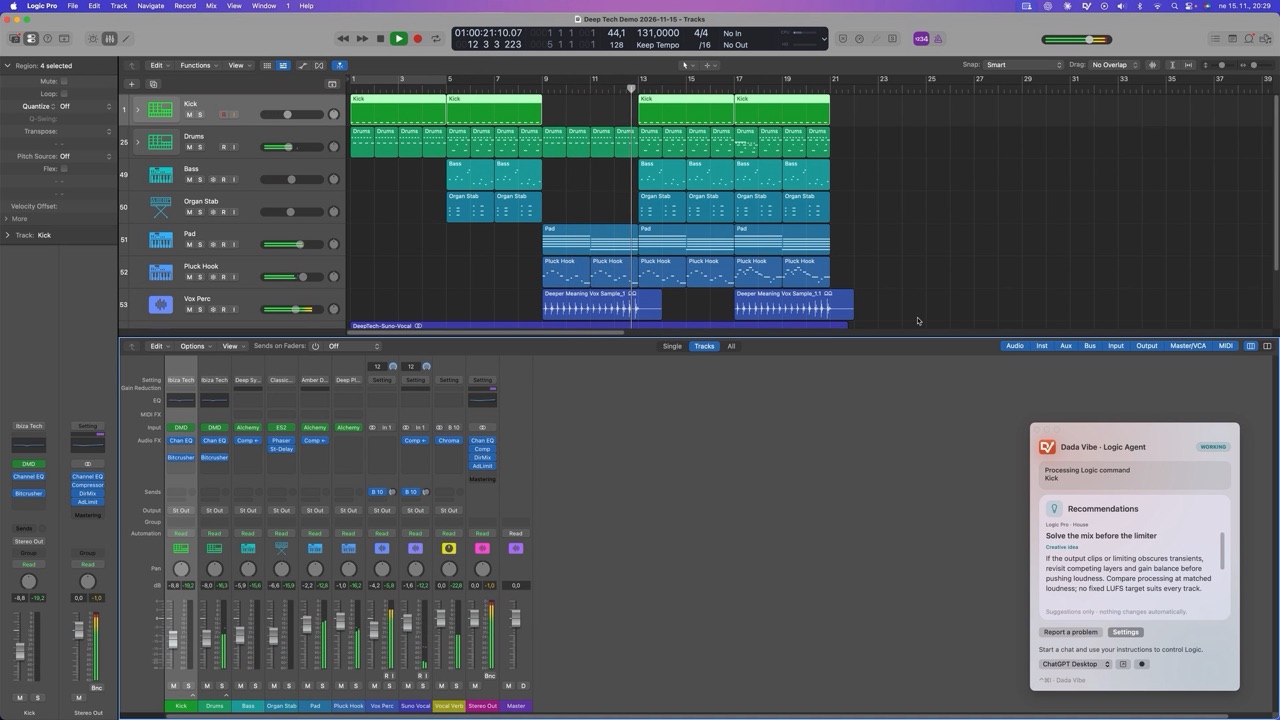 Deep Tech House in Logic Pro 12 with Claude
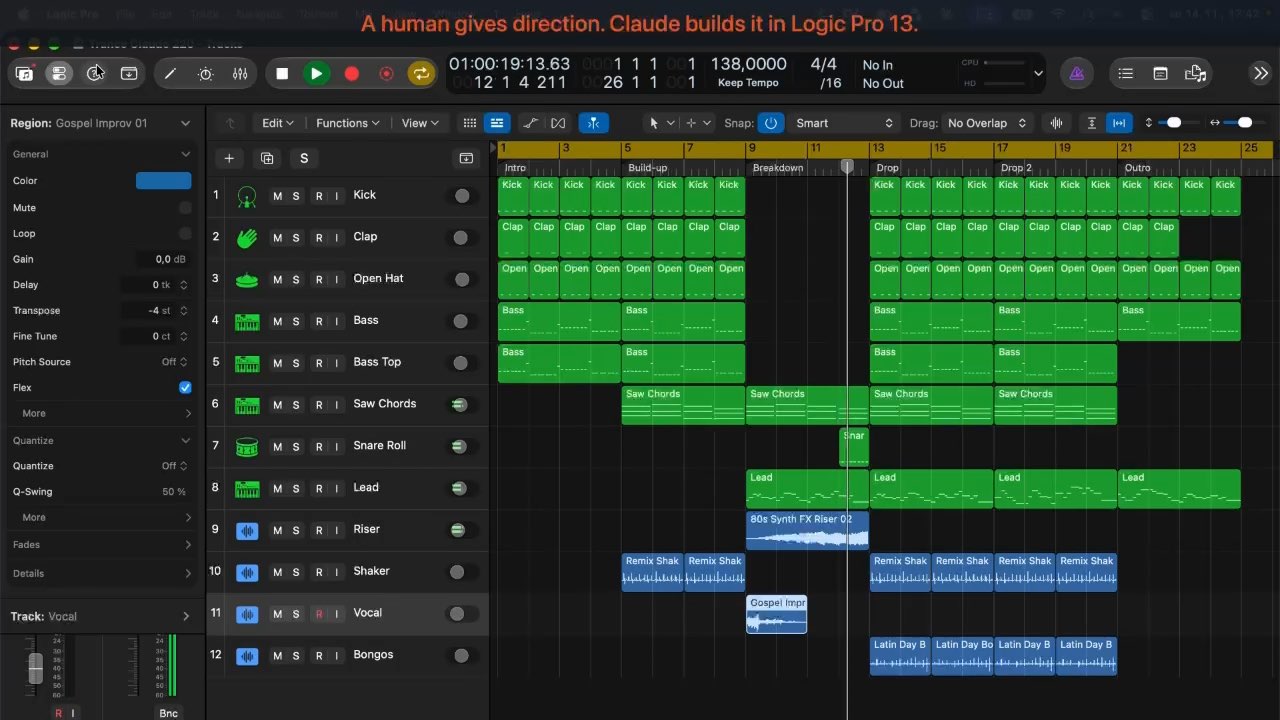 Trance in Logic Pro 13 with Claude
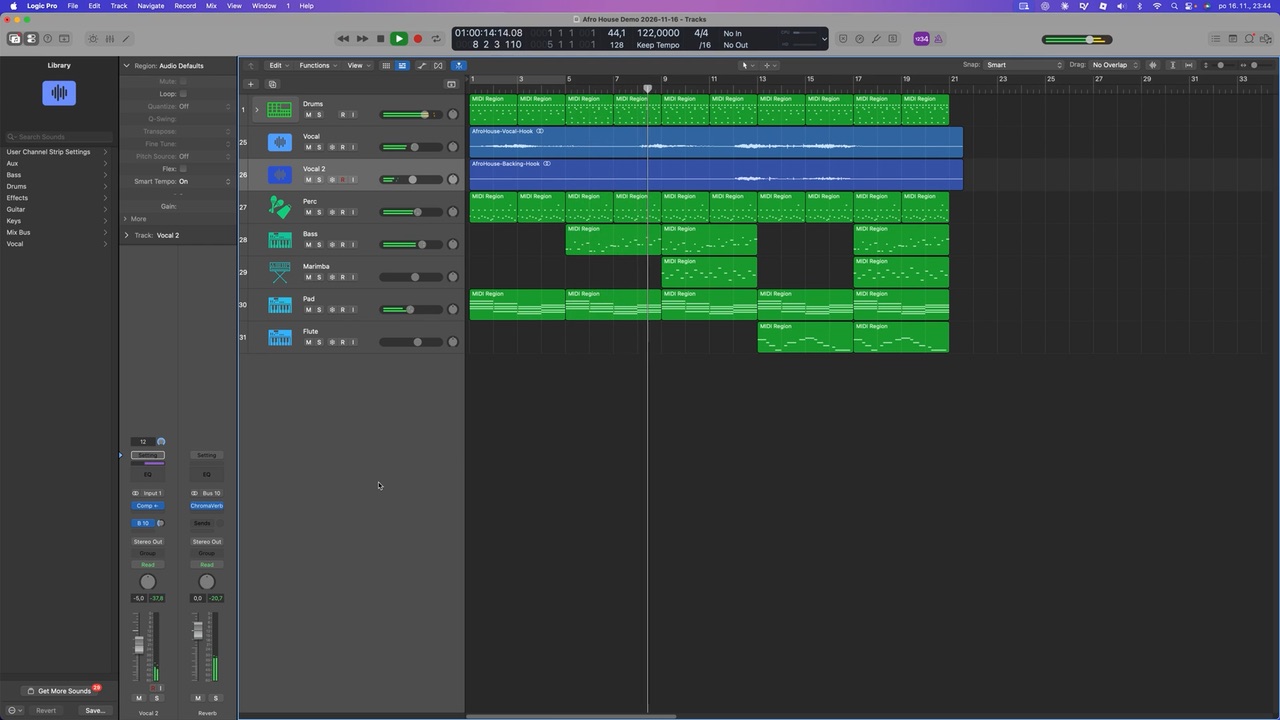 Afro House: composed by Claude in Logic 12