BLOG · TECHNO IN LOGIC PRO
How to make techno
in Logic Pro.
Techno is music of repetition and slow change. The kick hits every beat, a rumble rolls underneath, hats and percussion run on top, and the track evolves mostly through filter and effect automation. Logic Pro has everything you need for it. This guide goes from tempo and kick to arrangement and mix, and shows how to give the same steps to an AI assistant.
Updated 18 November 2026 · Dada Vibe
Tempo and energy
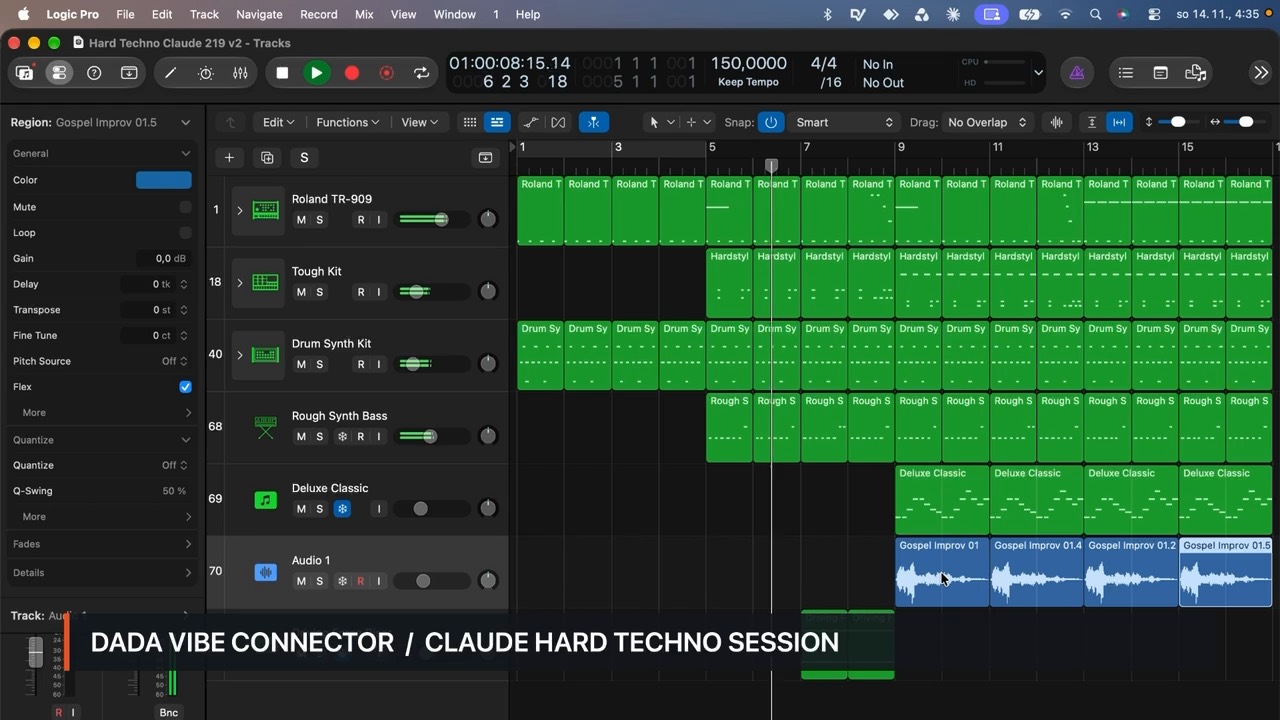
Classic and melodic techno sits around 125 to 135 BPM. Hard techno and industrial styles go to 140 to 155 BPM with a more distorted kick. The key matters less than in other styles, but the rumble and bass should fit it. Choose it from the kick’s pitch.
Kick and rumble
The kick is the most important sound in techno. Pick a short, punchy kick from Drum Machine Designer or your own sample. For the rumble, send the kick to a reverb (ChromaVerb or Space Designer) with a long tail, filter the reverb down to the low end only and duck it with a sidechain from the kick. The reverb then breathes between hits and builds a dense low end.
In hard techno the kick is often pushed with distortion or saturation. Make sure the kick and rumble do not take the same frequency at the same moment.
Hats, clap and percussion
- Closed hats in sixteenths or only off-beat, an open hat off-beat.
- Clap or snare on 2 and 4, or only subtly.
- Percussion (toms, shakers, rims) in different loop lengths, for example 3/16 against 4/4, so the groove stays unpredictable.
- A little swing and velocity changes bring the groove to life.
Bass, synths and the hypnotic loop
The bass in techno is short and repeating, often just a few notes. Above it one main motif is enough: a short synth or stab that repeats and slowly changes colour. In Logic, Retro Synth, ES2 or Alchemy work well. The hypnotic effect comes from the motif staying the same while the filter, resonance or delay changes.
Arrangement and automation
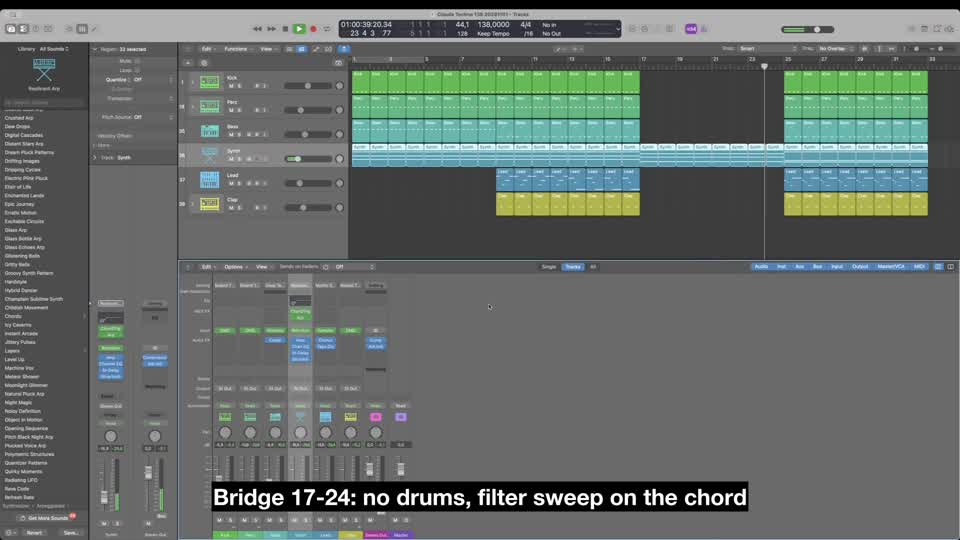
Techno is built in blocks of 16 or 32 bars. Each block adds or removes one element. You build tension with automation: an opening filter, a longer reverb, more distortion. A typical break is a breakdown without the kick, then the full groove returns.
- Intro: kick and hats for DJs, 16 to 32 bars.
- Build: add percussion, bass and the motif.
- Breakdown: no kick, filter or reverb automation.
- Drop: everything back, the motif at full power.
- Outro: remove elements step by step so the track can be mixed.
Mixing techno
- Keep the kick the loudest. Duck the bass and rumble with a sidechain from the kick.
- Cut the low end of everything except kick and bass with Channel EQ.
- Send reverbs and delay through aux buses so you can automate them together.
- Keep everything below about 120 Hz in mono and leave width for hats, percussion and effects.
Techno with AI in Logic Pro: the real workflow
With Dada Vibe Connector you work with an AI assistant (Claude, ChatGPT or Copilot) right inside Logic. The AI writes editable MIDI, loads instruments and effects, sets plug-ins in Hz, dB and ms and draws automation. After every step it reads the result back. You listen and say what to change. This is what a typical session looks like.
1. Reference: analyse a track
Start with a track you like. The connector analyses a local file or a public preview of a track you name: it estimates tempo and key and measures tonal balance, saturation and loudness. The AI takes inspiration from it and never copies melodies.
- “Analyse [track] and tell me its tempo, key, tonal balance, saturation and loudness.”
2. The skeleton in one request
You can give the skeleton at once, as a batch of steps. The AI carries them out one after another and checks after each what really happened in Logic.
- “Using the reference, set the tempo, write a four-bar techno groove with a kick on every beat and an off-beat hat, make a rumble from the kick’s reverb with sidechain, a short repeating bass on a new track and a simple synth motif on another. Do not copy melodies from the reference.”
3. Listen and change
Now you listen. Whatever you do not like, say in plain language. The rest of the track stays as it is.
- “Change the groove: percussion in a 3/16 loop and more swing on the hats.”
- “Add saturation to the kick to make it harder, and lower the rumble by 2 dB.”
- “Duck the bass and synth with a sidechain from the kick and put a compressor on the bass.”
- “Draw filter automation on the synth that opens over 16 bars.”
- “Extend the arrangement to 128 bars in 16-bar blocks with a breakdown without the kick, and label the sections with markers.”
4. Mix and output chain
- “Balance the track levels and cut the low end on everything except kick and bass.”
- “Put an EQ, a glue compressor at 2:1, width on the highs only and a limiter with a −0.3 dB ceiling on the output, and measure loudness.”
- “Compare loudness and tonal balance with the reference.”
Each step takes tens of seconds to a few minutes, and the musical decisions stay with you. Export only once you are happy with what you hear.