
BLOG · HOUSE IN LOGIC PRO
How to make house music
in Logic Pro.
House is one of the best styles to start with: a clear groove, a few chords and a bassline. Yet it has many faces, from deep house through tech house to afro and latin house. This guide shows how to build house in Logic Pro step by step and how to speed things up with an AI assistant that writes the groove, chords and bass straight into your project.
Updated 18 November 2026 · Dada Vibe
Tempo and sub-genres
- Deep house: 120 to 124 BPM, soft chords, warm pads, gentler drums.
- Tech house: 124 to 128 BPM, a strong bassline, percussion, less harmony.
- Afro house: 120 to 124 BPM, polyrhythmic percussion, toms and vocal motifs.
- Latin house: 124 to 128 BPM, Latin percussion (conga, bongo, timbales), piano montuno.
Drums: the basic house groove
Start with a kick on every beat. Add a clap or snare on 2 and 4 and an open hat off-beat, on the “and” between the kicks. A closed hat or shaker in sixteenths with a little swing adds movement. In Logic use Drum Machine Designer or Drummer with an electronic kit; set swing in quantize or in Step Sequencer.
Chords
House rests on seventh and ninth chords that sound soft and jazzy. Two to four chords in a loop are enough, for example Am7, Dm9, Fmaj7, Em7. Play them short and rhythmic (stabs) on piano or organ, or long as a pad. For deep house add a warm pad and reverb; for tech house use fewer chords.
Bassline and sidechain
The bass in house often plays off-beat, so it alternates with the kick. Follow the chord roots and add a few passing notes. Retro Synth, ES2 or Sculpture work well for bass. Then put a Compressor with a sidechain from the kick on the bass, chords and pads: they dip with every kick, which creates the typical pump.
Arranging a house track
- Intro (16 to 32 bars): drums, so a DJ can mix in.
- Groove (16 bars): the bass comes in.
- Main section (32 bars): chords and the main hook or vocal.
- Breakdown (16 bars): no kick, chords and filter.
- Second main section and outro: the groove returns, then elements drop out.
Mix
- Kick and bass: sidechain and EQ so they do not overlap.
- Cut the low end of chords and pads with Channel EQ.
- Reverb and delay through aux buses; chords need only a short reverb.
- Finally check loudness and mono compatibility of the low end.
House with AI in Logic Pro: the real workflow
With Dada Vibe Connector you work with an AI assistant (Claude, ChatGPT or Copilot) right inside Logic. The AI writes editable MIDI, loads instruments and effects, sets plug-ins in Hz, dB and ms and draws automation. After every step it reads the result back. You listen and say what to change. This is what a typical session looks like.
1. Reference: analyse a track
Start with a track you like. The connector analyses a local file or a public preview of a track you name: it estimates tempo and key and measures tonal balance, saturation and loudness. The AI takes inspiration from it and never copies melodies.
- “Analyse [track] and tell me its tempo, key, tonal balance, saturation and loudness.”
2. The skeleton in one request
You can give the skeleton at once, as a batch of steps. The AI carries them out one after another and checks after each what really happened in Logic.
- “Using the reference, set the tempo and key, write a four-bar house groove with a kick on every beat, a clap on 2 and 4 and an off-beat open hat, four seventh chords as short stabs on a piano track, an off-beat bassline, and sidechain the bass and chords to the kick. Do not copy melodies from the reference.”
3. Listen and change
Now you listen. Whatever you do not like, say in plain language. The rest of the track stays as it is.
- “Change the beat to tech house: fewer chords, stronger percussion and a swung shaker.”
- “The chords are too soft: add light saturation and a shorter reverb.”
- “The sidechain on the bass is too strong: shorten the release and reduce the gain reduction.”
- “Put a compressor on the drum bus to glue the groove.”
- “Repeat the groove up to bar 33, add a breakdown without the kick and label the sections with markers.”
4. Mix and output chain
- “Balance the track levels and cut the low end on everything except kick and bass.”
- “Put an EQ, a glue compressor at 2:1, width on the highs only and a limiter with a −0.3 dB ceiling on the output, and measure loudness.”
- “Compare loudness and tonal balance with the reference.”
Each step takes tens of seconds to a few minutes, and the musical decisions stay with you. Export only once you are happy with what you hear.
Ten prompts for a first house sketch ↗
Demos in Logic Pro
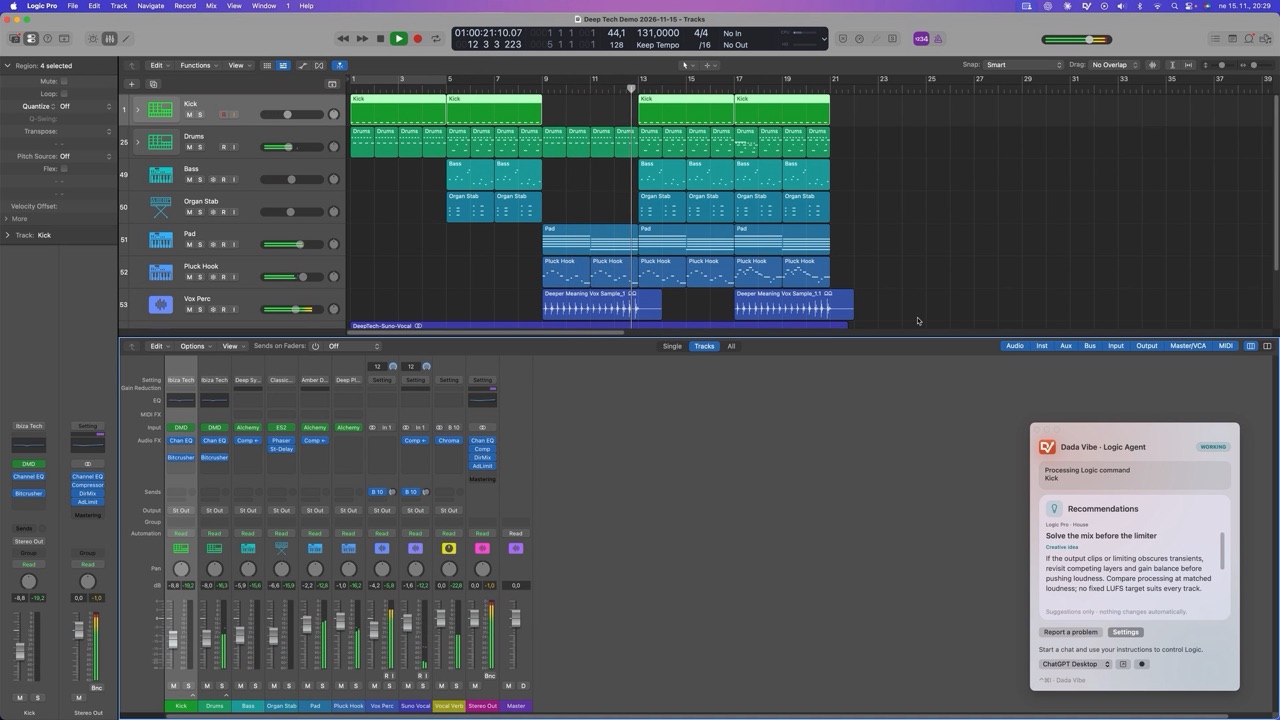 Deep Tech House in Logic Pro 12 with Claude
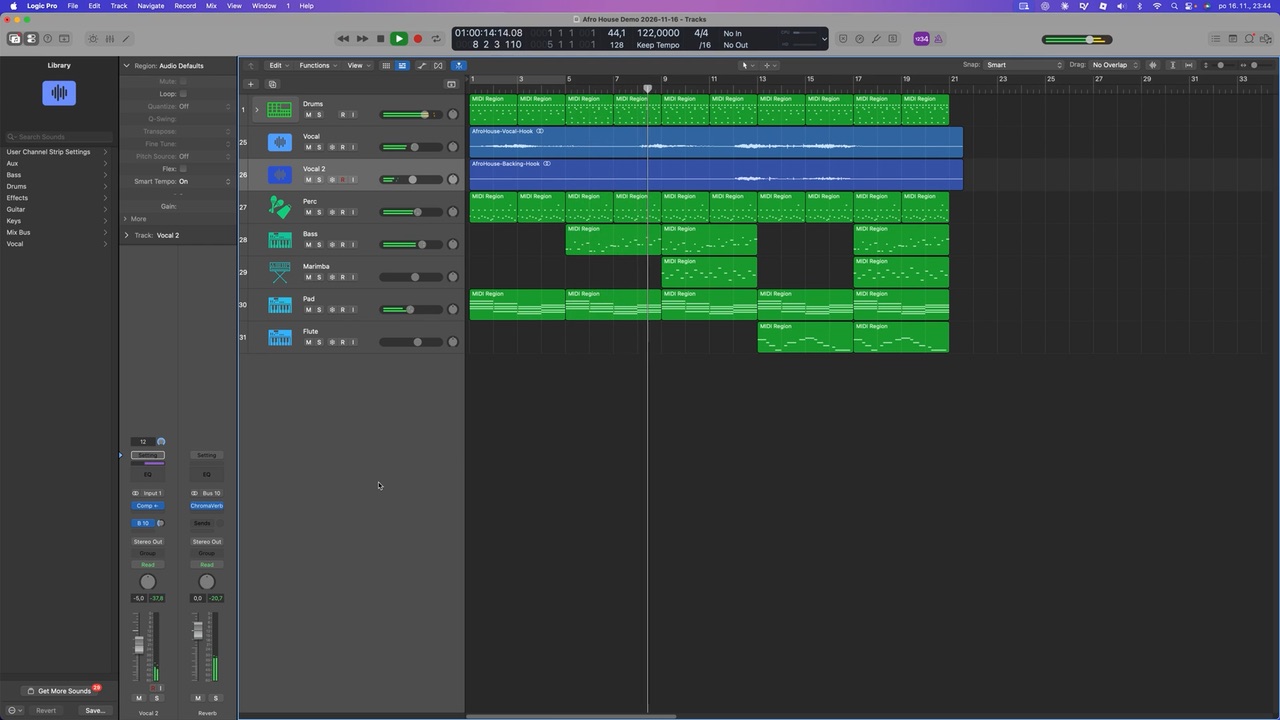 Afro House: composed by Claude in Logic 12
 Latin House in Logic Pro 13 with ChatGPT
 Afro House: created with ChatGPT