BLOG · HIP HOP IN LOGIC PRO
How to make a hip hop and rap beat
in Logic Pro.
A hip hop beat lives on its groove: a kick and snare that make your head nod, swung hats, a bass and a loop of chords or a sample. Classic boom bap is slower and looser, modern rap draws on trap. This guide shows both approaches in Logic Pro and the real workflow with an AI assistant that writes the beat as editable MIDI.
Updated 18 November 2026 · Dada Vibe
Tempo and swing
Boom bap usually sits at 85 to 95 BPM. The groove comes mainly from swing: every second sixteenth lands slightly late. In Logic set swing in the region quantize or in Step Sequencer. The snare can sit slightly behind the beat so the groove drags. Modern rap comes from trap and runs at 130 to 150 BPM in half time, see our trap guide.
How to make a trap beat in Logic Pro ↗
Drums
- Kick on beat one and syncopated around beat three, for example on the “and” after two.
- Snare on 2 and 4, often layered with a clap or rim.
- Hats in eighths or sixteenths with swing and varied velocity.
- Sounds: an electronic or vintage kit in Drum Machine Designer, or single hits in Quick Sampler.
Bass, chords and samples
A loop of two to four chords on Rhodes, piano or strings is the base. The bass follows the chord roots and the kick. If you work with a sample, chop it in Quick Sampler or Sampler and play the slices from MIDI. Use only samples you have the rights to.
A beat for a rapper
- Intro of 4 to 8 bars, then a 16-bar verse and an 8-bar hook.
- Thin out the melody in verses to leave room for the voice. Add it back in the hook.
- Transitions: drop the drums or bass for a bar, a short fill.
Mix
- Separate kick and bass with EQ or sidechain.
- Light saturation on the drum bus adds warmth and a vinyl character.
- A compressor on the drums glues the groove.
Hip hop with AI in Logic Pro: the real workflow
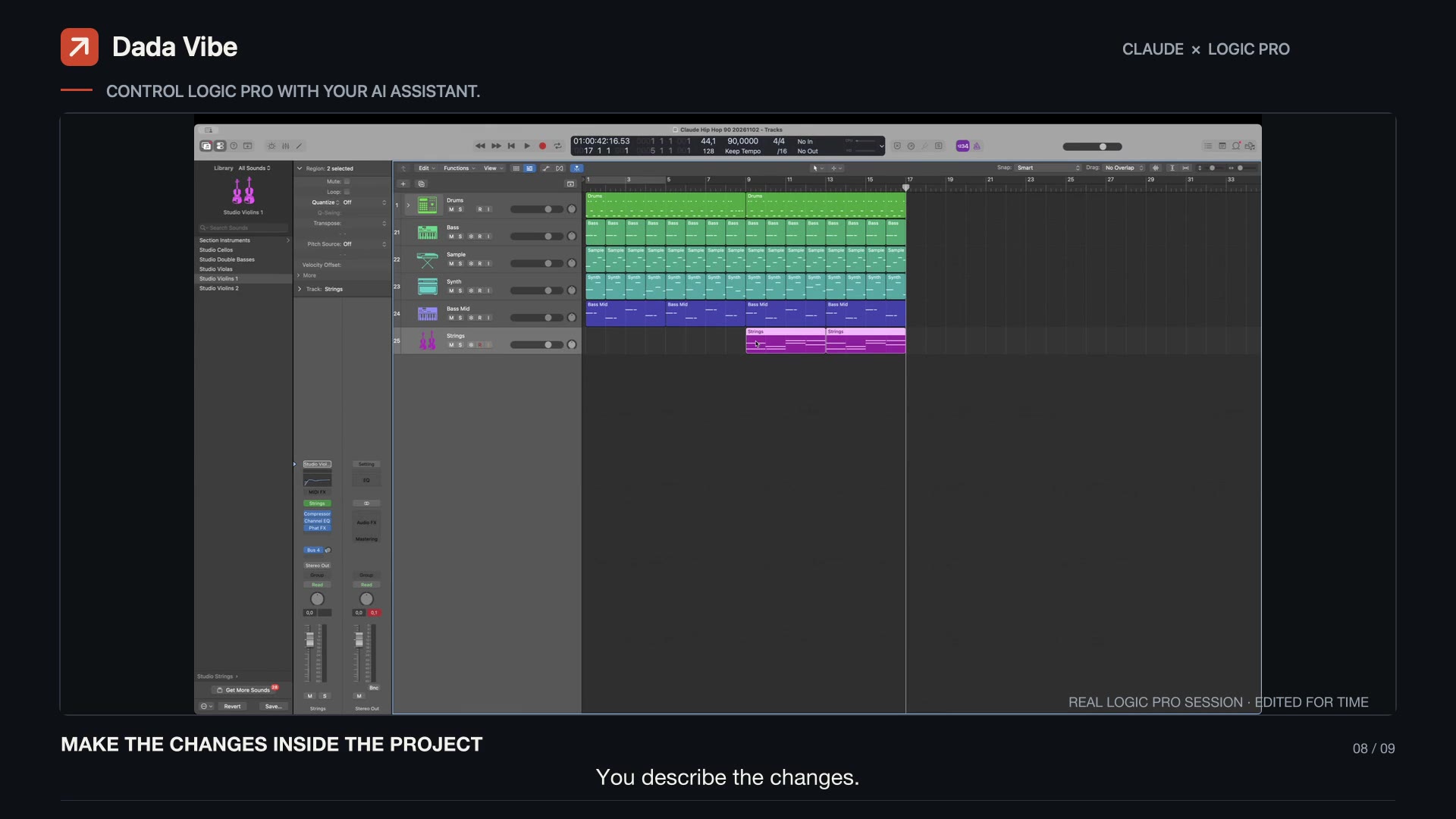
With Dada Vibe Connector you work with an AI assistant (Claude, ChatGPT or Copilot) right inside Logic. The AI writes editable MIDI, loads instruments and effects, sets plug-ins in Hz, dB and ms and draws automation. After every step it reads the result back. You listen and say what to change. This is what a typical session looks like.
1. Reference: analyse a track
Start with a track you like. The connector analyses a local file or a public preview of a track you name: it estimates tempo and key and measures tonal balance, saturation and loudness. The AI takes inspiration from it and never copies melodies.
- “Analyse [track] and tell me its tempo, key, tonal balance, saturation and loudness.”
2. The skeleton in one request
You can give the skeleton at once, as a batch of steps. The AI carries them out one after another and checks after each what really happened in Logic.
- “Using the reference, set the tempo and key and write a two-bar swung boom bap beat: kick on 1 and syncopated around 3, snare on 2 and 4, sixteenth hats with varied velocity. On a new track write a four-chord loop for Rhodes and a bass that follows the kick. Do not copy melodies from the reference.”
3. Listen and change
Now you listen. Whatever you do not like, say in plain language. The rest of the track stays as it is.
- “More swing, and move the snare slightly behind the beat.”
- “Add saturation and a compressor on the drum bus so the beat sounds warmer and tighter.”
- “Sidechain the bass to the kick.”
- “Change the beat to modern rap: tempo 140, snare on beat 3 and hi-hat rolls.”
- “Build the structure: intro, 16-bar verse, 8-bar hook, and lower the Rhodes by 4 dB in the verse.”
4. Mix and output chain
- “Balance the track levels and cut the low end on everything except kick and bass.”
- “Put an EQ, a glue compressor at 2:1, width on the highs only and a limiter with a −0.3 dB ceiling on the output, and measure loudness.”
- “Compare loudness and tonal balance with the reference.”
Each step takes tens of seconds to a few minutes, and the musical decisions stay with you. Export only once you are happy with what you hear.